Apple’s features keep getting cooler, and the voice memo transcription we’ve all been waiting for is finally here!
Simply put, it turns your recordings straight into text!
Compatible with iPhone, so turning voice recordings into text is now even easier.
You can even let ChatGPT organize your notes for you, making it a breeze to wrap up meeting minutes or jot down last-minute tasks.
Give this new feature a try!
Supported Versions for Voice Memo Transcription
Compatible with: iOS 18 on iPhone
Demo Device Version: iOS 18.4.1
Demo Language: Traditional Chinese
Note: The transcription depends on your phone’s display language.
If your recording is all in English, make sure to switch your phone’s display language to English first.
How to Convert Voice Recordings to Text
- Open the Notes app and create a new note.
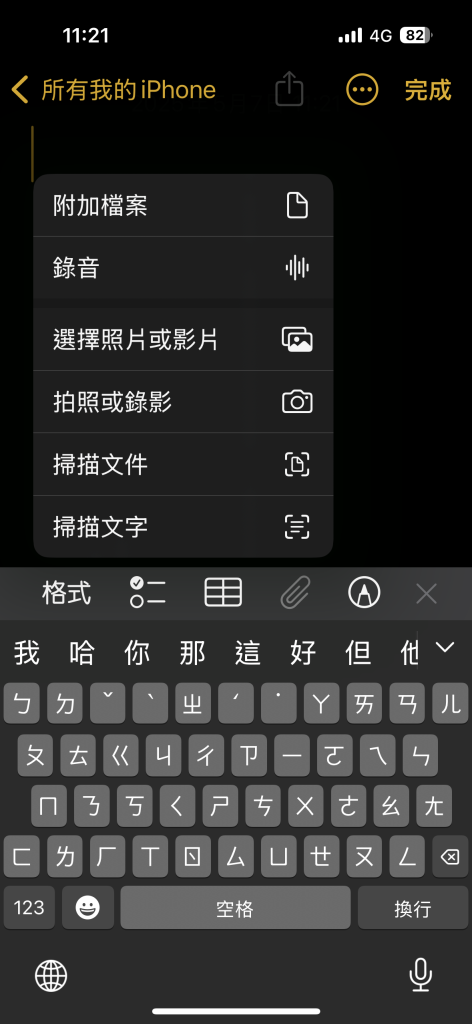
- Tap the paperclip icon at the bottom and choose “Record Audio.”
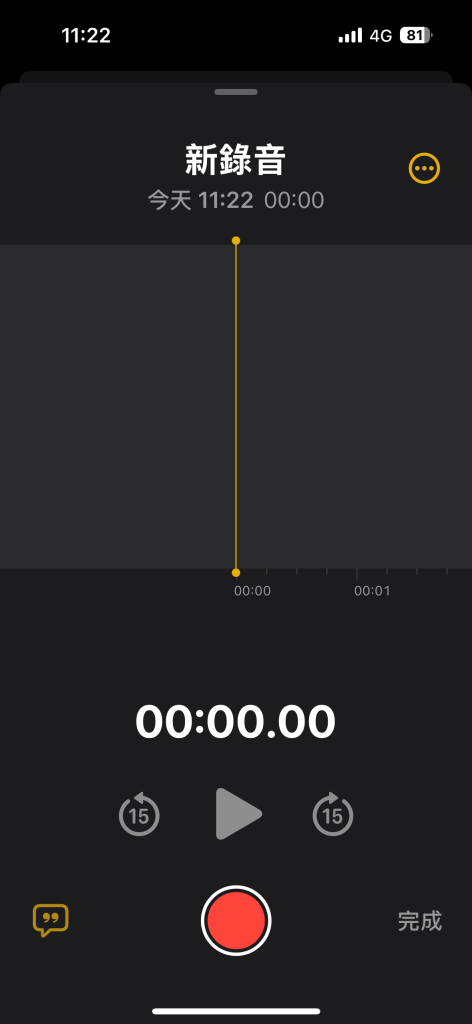
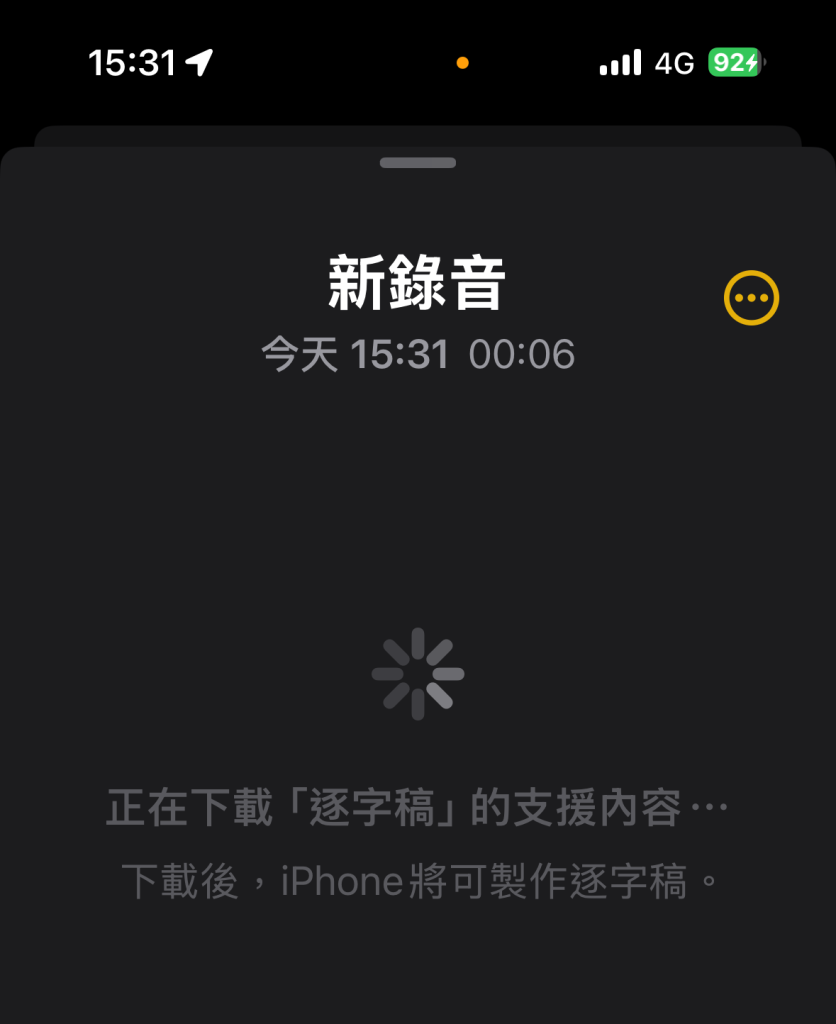
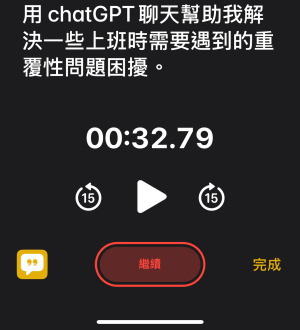
When recording, you’ll see a message bubble icon in the bottom left corner. Tap it and your phone will start downloading the support files needed for transcription. Wait for the download to finish before using it.
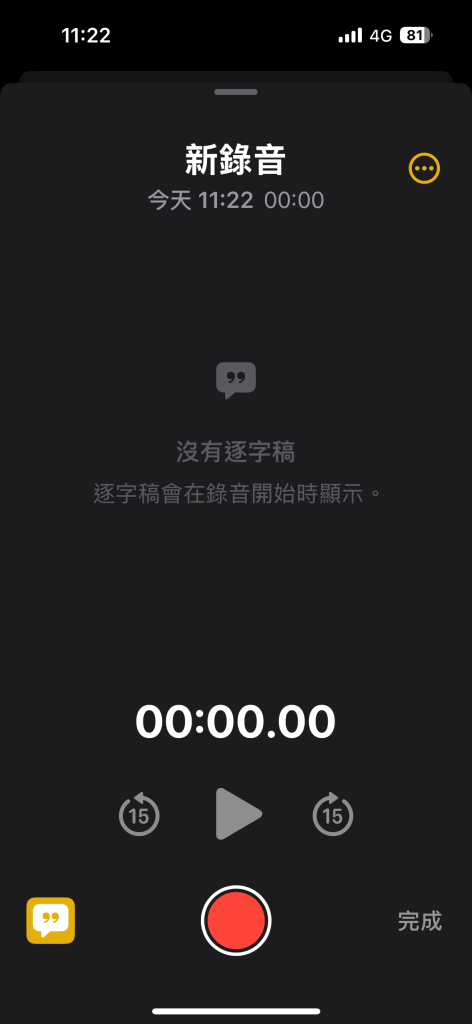
4. Once the download is complete, tap Start Recording and the transcript will begin appearing on your screen right away!
When you finish recording, tap the red pause button in the middle, then tap “Done” to stop. The audio you just recorded will now appear in your note.
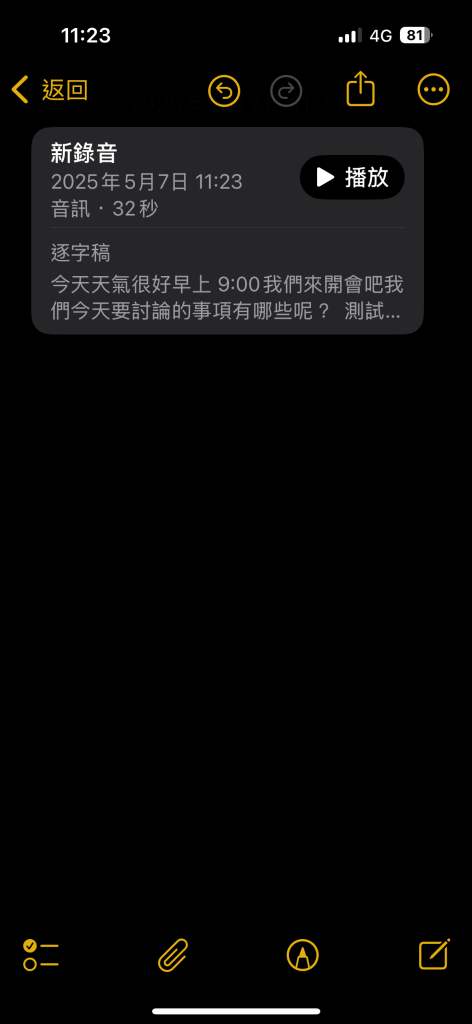
After the recording is saved, you will see the transcribed text right inside the note.
Open the recording and you’ll see the text, which you can either copy or add straight into your note.
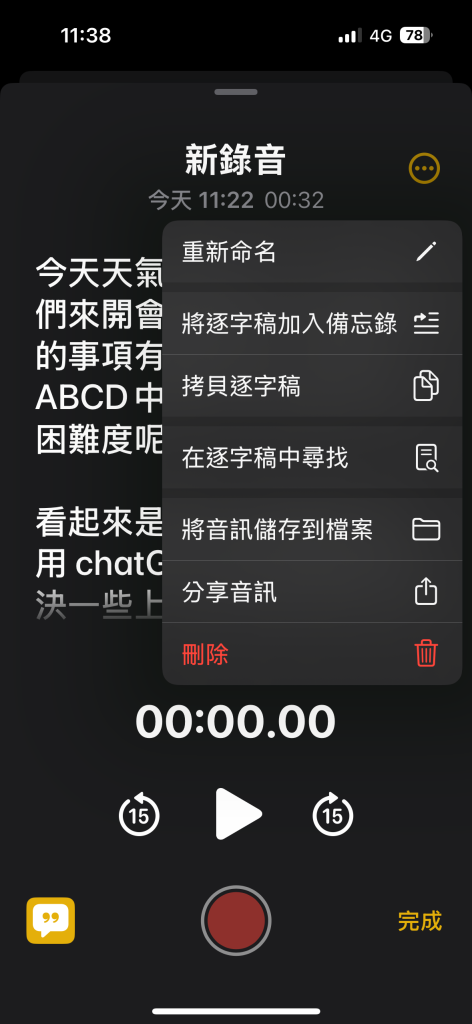
If you want to clean up the text even more, you can use any AI tool like ChatGPT, Claude, or Gemini to help with the transcription. Just copy the text, paste it into the chatbot, and ask for a summary or any format you need. Then you’ll have a clean and ready-to-use record.
Summary
The voice memo transcription is finally here! I often have to take notes during meetings,
In meetings, we usually speak both Chinese and English, and it supports that too.
But the iPhone is still a bit slow at recognizing speech, and some words aren’t transcribed accurately yet, so there’s still room for improvement.
But for quick notes or everyday reminders, it is a great tool that helps you remember things and instantly see what was said. Highly recommended if you need it.
